See the KMF platform in action.
Walkthroughs of every tool — and how they connect — so you can picture the workflow before you ever sign in.
How the tools connect
The KMF tools are designed to feed each other. Slide through the most common path a property takes through the platform.
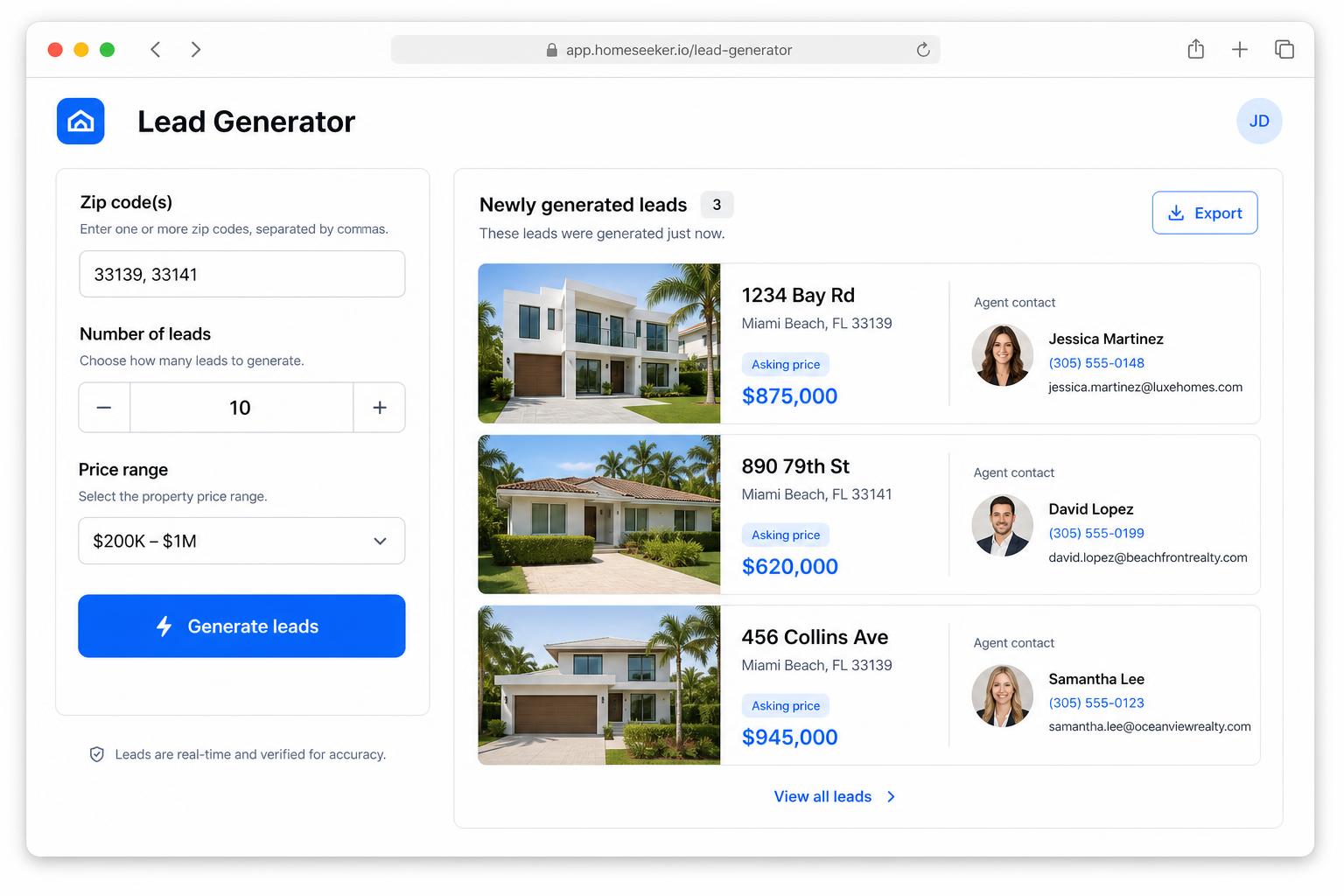
Lead Generator
Find candidates
Start by sourcing properties that fit your buy box — pull from RentCast, Distressed filters, or FSBO/Zillow listings. Save the winners straight into Lead Submissions.
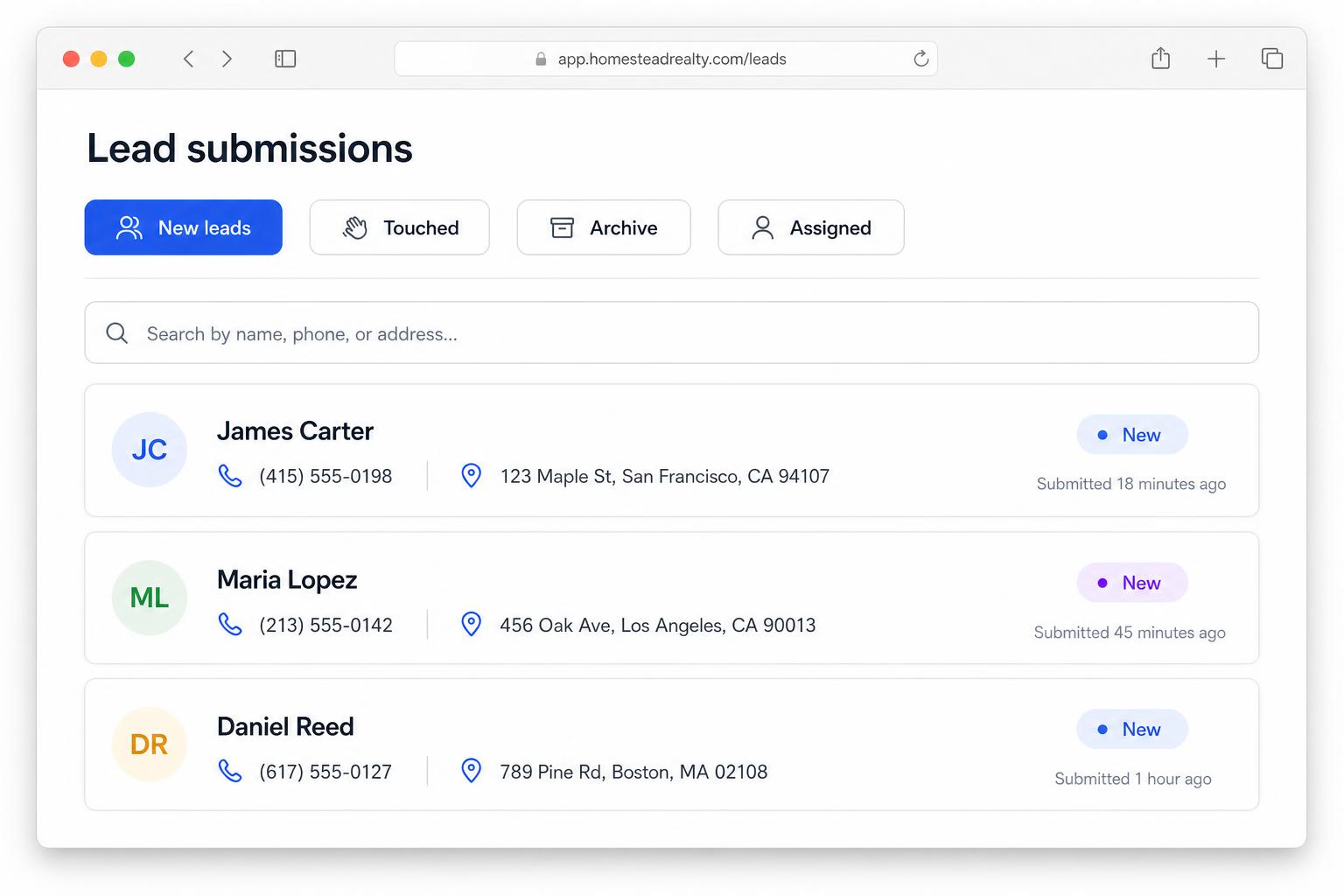
Lead Submissions
Centralize & review
Every lead — generated, submitted, or imported — lands on the Lead Submissions page. Review property details, take notes, and queue them up for the next step.
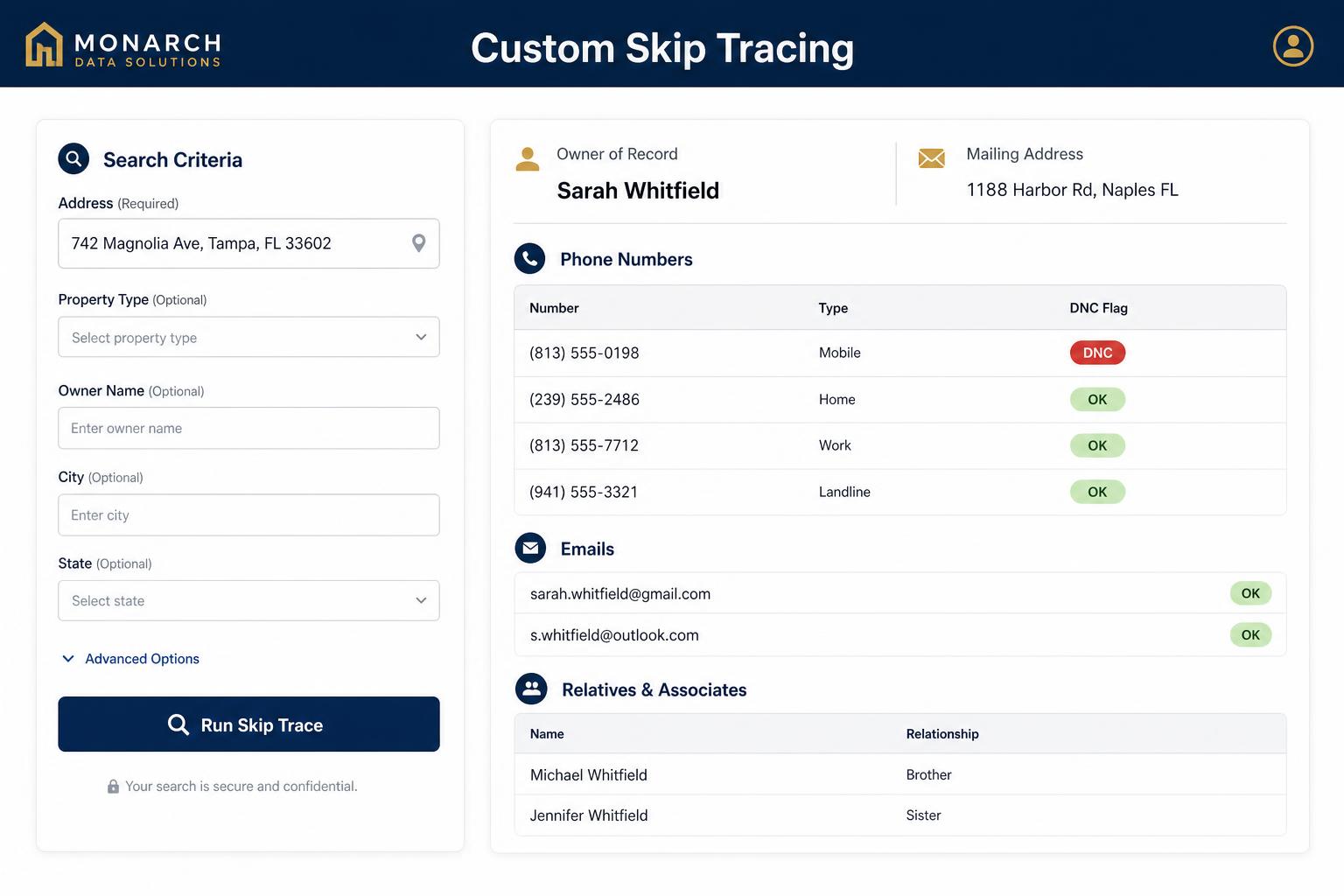
Custom Skip Tracing
Get the owner's contact
Run a skip trace directly from a Lead Card to pull phones and emails for the owner. Re-run any time to refresh stale data.
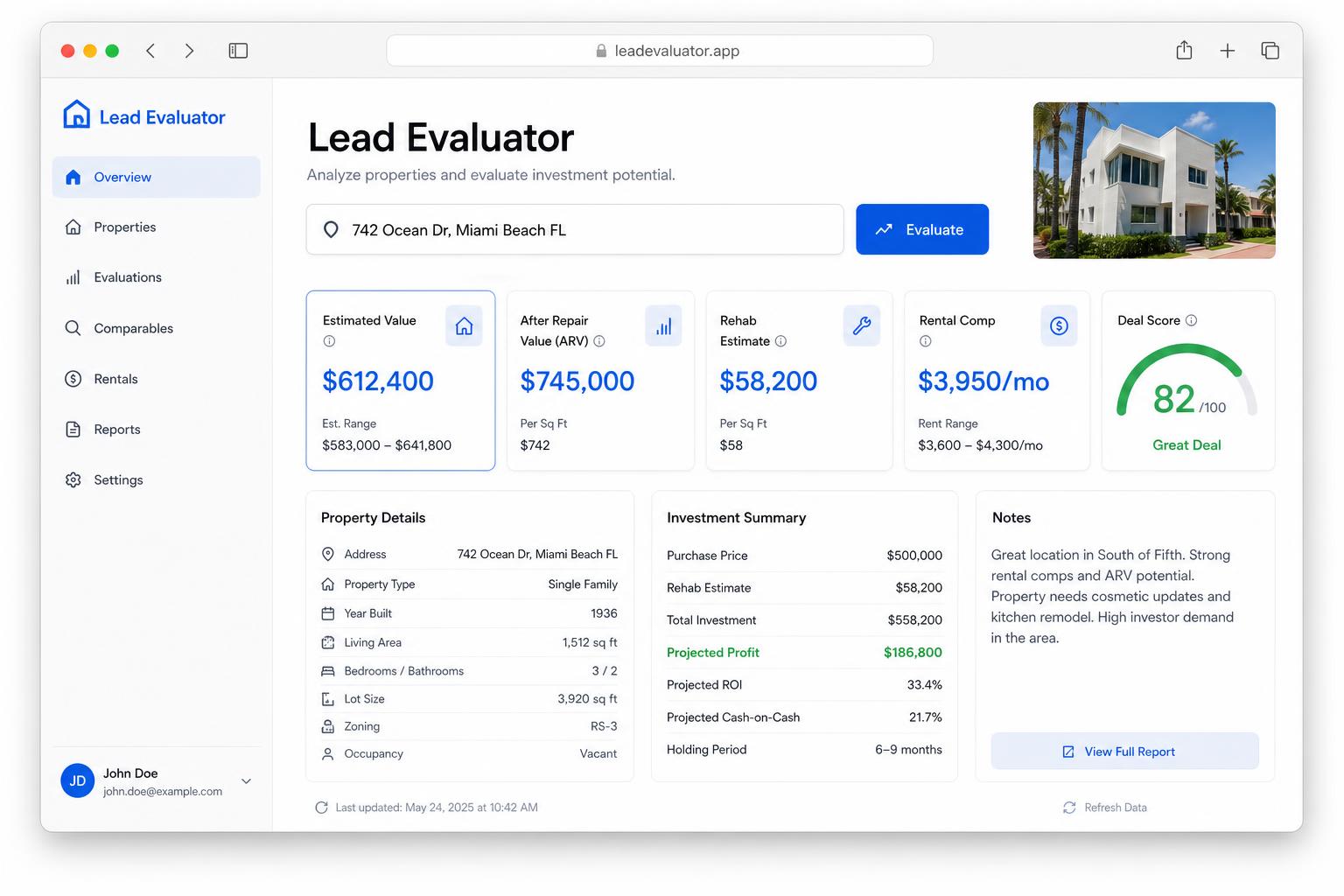
Lead Evaluator
Underwrite quickly
Hit "Evaluate" on a Lead Card to send the property into the Lead Evaluator pre-filled. Get a fast valuation band so you know whether to keep going.
KMFCRE DASH
Work the deal
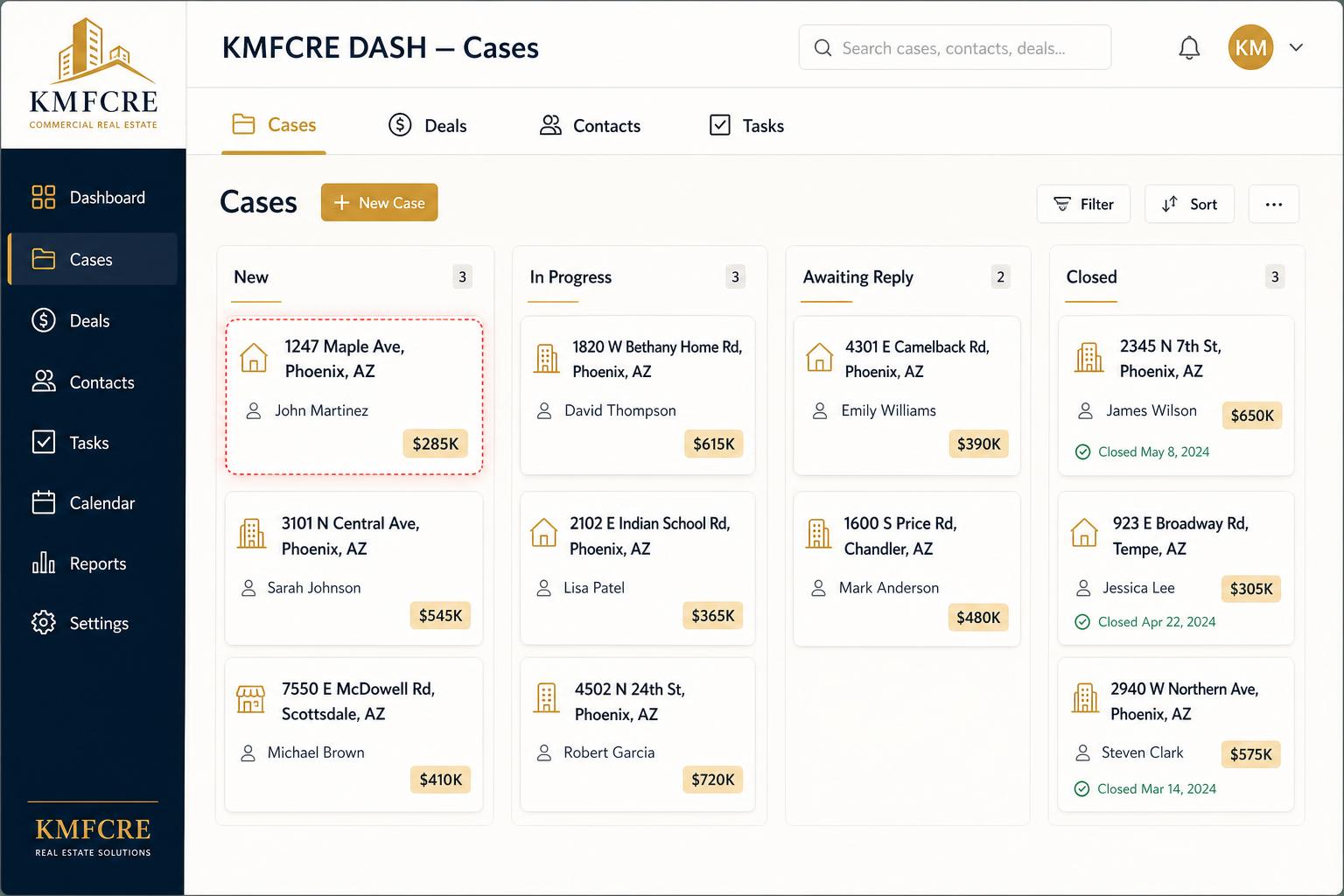
Click "Send to CRM" on a Lead Card to create a Case in KMFCRE DASH. Convert winning Cases into Deals, log activity, attach documents, and close.
Lead Submissions
The Lead Submissions page is the central hub where every lead — submitted, imported, or generated — lands. Review property details, take notes, share with your team, and push the best ones into your CRM with a single click.
Click Send to CRM on any Lead Card to drop the lead into KMFCRE DASH as a Case — ready for follow-up, assignment, and deal conversion.
Hit Evaluate in the Actions menu to push the property straight into the Lead Evaluator — the address, value, and unit count come pre-filled so you can underwrite in seconds.
Owner info gone stale? Re-Run Skip Trace in the Actions menu refreshes phones, emails, and relatives and attaches the new results to the same Lead Card — old results stay in history.
- Lead Cards at a glanceEach card shows the property, contact info, notes, and status. Expand a card for the full history.
- Team sharingShare leads with teammates or send them to outside contacts directly from the card.
Browse and filter incoming leads in one place.
Lead Generator
Use the Lead Generator to surface deals you would not otherwise find. Three purpose-built modes let you pull data from different sources depending on the play you are running — and every result can be saved straight to Lead Submissions.
Available modes
Pull rental & ownership data — best for income-property targeting, rent comps, and finding landlords by zip, asset class, and unit count.
Filter on equity, length of ownership, tax delinquency, and other distress signals to surface motivated sellers and off-market opportunities.
Pull active For-Sale-By-Owner and Zillow listings so you can reach owners directly without a listing agent in the middle.
- Owner & contact dataEach result comes with property fundamentals plus owner identity to kick off outreach.
- Pipe to Lead SubmissionsSave promising properties as Leads — they appear on the Lead Submissions page where the rest of your workflow lives.
Build a buy box and pull a targeted list of properties.
Lead Evaluator
Paste in property numbers and the Lead Evaluator returns market context, comps, and a quick valuation snapshot — perfect for triaging a lead before you invest time in deeper diligence.
Every Lead Card in Lead Submissions has Evaluate in its Actions menu. Click it to send the property to the Lead Evaluator with address, value, and unit count already filled in — the fastest way to underwrite a fresh lead.
- Fast triageGet a defensible price band in seconds so you can decide whether a lead is worth pursuing.
- Open it from a LeadHit "Evaluate" in the Actions menu on any Lead Card and the property auto-loads into the Evaluator. No re-typing, no copy/paste.
Run a fast valuation on any property.
Custom Skip Tracing
Custom Skip Tracing pulls phones, emails, and relatives for an owner so you can stop dialing dead numbers. Run a single lookup, or batch-process a list exported from Lead Generator.
Already traced this owner months ago? Use Re-Run Skip Trace in the Actions menu of the Lead Card to refresh contact info with the latest data — perfect for cold leads coming back to life.
- Single or bulkTrace one owner at a time, or upload a list and download the results when the job is done.
- Direct from a LeadTrigger a skip trace from a Lead Card and attach the results so they live with the lead forever.
Pull verified contact information for any owner.
KMFCRE DASH
KMFCRE DASH is where leads turn into closed deals. Track every Case, convert winners into Deals with live activity and documents, and keep the whole team coordinated through Team Cases and the Bulk Lead Assign tool.
Every Lead Card on the Lead Submissions page has a Send to CRM button that creates a Case in KMFCRE DASH — the connective tissue between your inbox and your pipeline.
- Cases → Deals lifecycleConvert a Case into a Deal in one click. Close or remove a Deal and its full history (notes, documents, stage) is archived back onto the source Case automatically.
- Shared deal activityNotes and documents on a Deal are visible to your whole workspace — refresh-proof and audit-friendly.
- Team Cases & TakeUse "Send to Team" in Bulk Lead Assign to drop cases onto the Team Cases tab. Anyone on the team can "Take" a case to move it into their own queue, and the action is stamped into the case timeline.
Cases board — every lead that needs follow-up.
Ready to try the platform?
Sign up or sign in to access every tool from one dashboard.